

See More. Know More. Respond Faster.
Deploy intelligent video wherever the mission takes you—from a single remote camera to a citywide network of fixed BlueBoxes, portable systems and surveillance trailers. Cloud video, AI-assisted investigation and remote system management bring every deployment together in one powerful platform.
ONE PLATFORM. ANYWHERE.
Public safety doesn't stop where the network ends.
BlueBox extends intelligent surveillance to the places traditional camera infrastructure can't easily reach.
One BlueBox or an entire fleet. One place to see it all.
Introducing BlueBox Scout
Compact Solar PTZ Surveillance
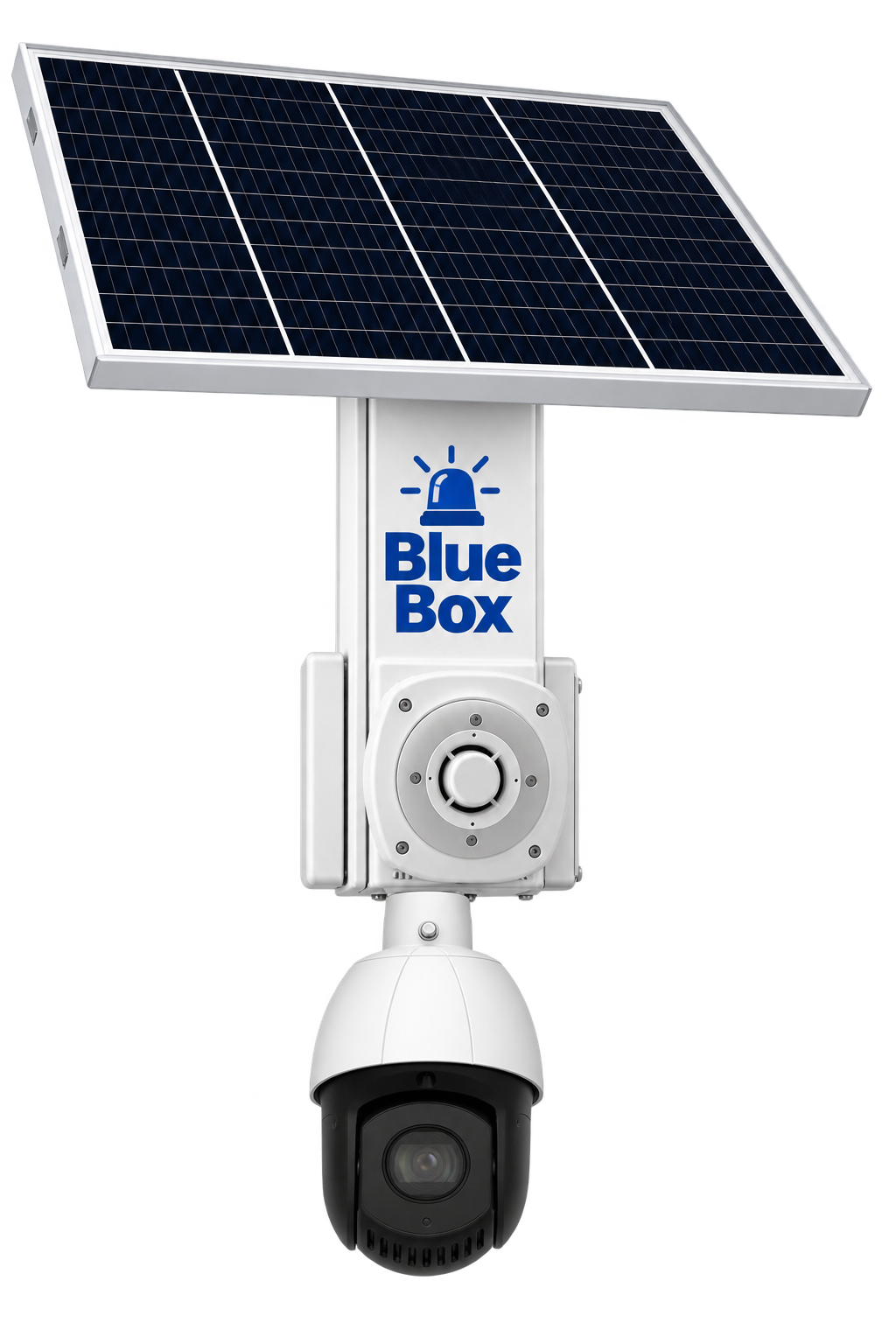
Meet BlueBox Scout — a compact, self-contained solar surveillance system designed to extend law enforcement visibility into locations without readily available electrical power or network infrastructure.
Featuring a 5MP PTZ camera with 25X optical zoom, automated patrols, solar power, battery storage, and 5G connectivity, BlueBox Scout delivers remote surveillance in a streamlined, pole-mounted package.
- 5MP PTZ camera with 25X optical zoom
- Programmable PTZ patrols and remote camera control
- Integrated solar power and battery storage
- 5G connectivity and cloud video access
- Compact pole-mounted design
Ideal For
Downtown districts, public parks, parking areas, municipal properties, and temporary public safety deployments.
CHOOSE YOUR DEPLOYMENT
Built around the mission.
From permanent citywide coverage to rapidly deployable surveillance, BlueBox gives agencies the freedom to put intelligent video where the mission requires it.

Pole-, building- or structure-mounted surveillance for permanent and semi-permanent locations.
Permanent or Semi-Permanent • Solar or Site Power • Flexible Camera Options

High-performance mobile surveillance without the trailer.
No Trailer Required • Small Footprint • Solar Powered • Easily Repositioned

Towable solar surveillance for rapid deployment, extended field operation and frequent relocation.
Towable • Rapid Deployment • Extended Runtime • High-Mast Coverage
BlueBox Checkpoint
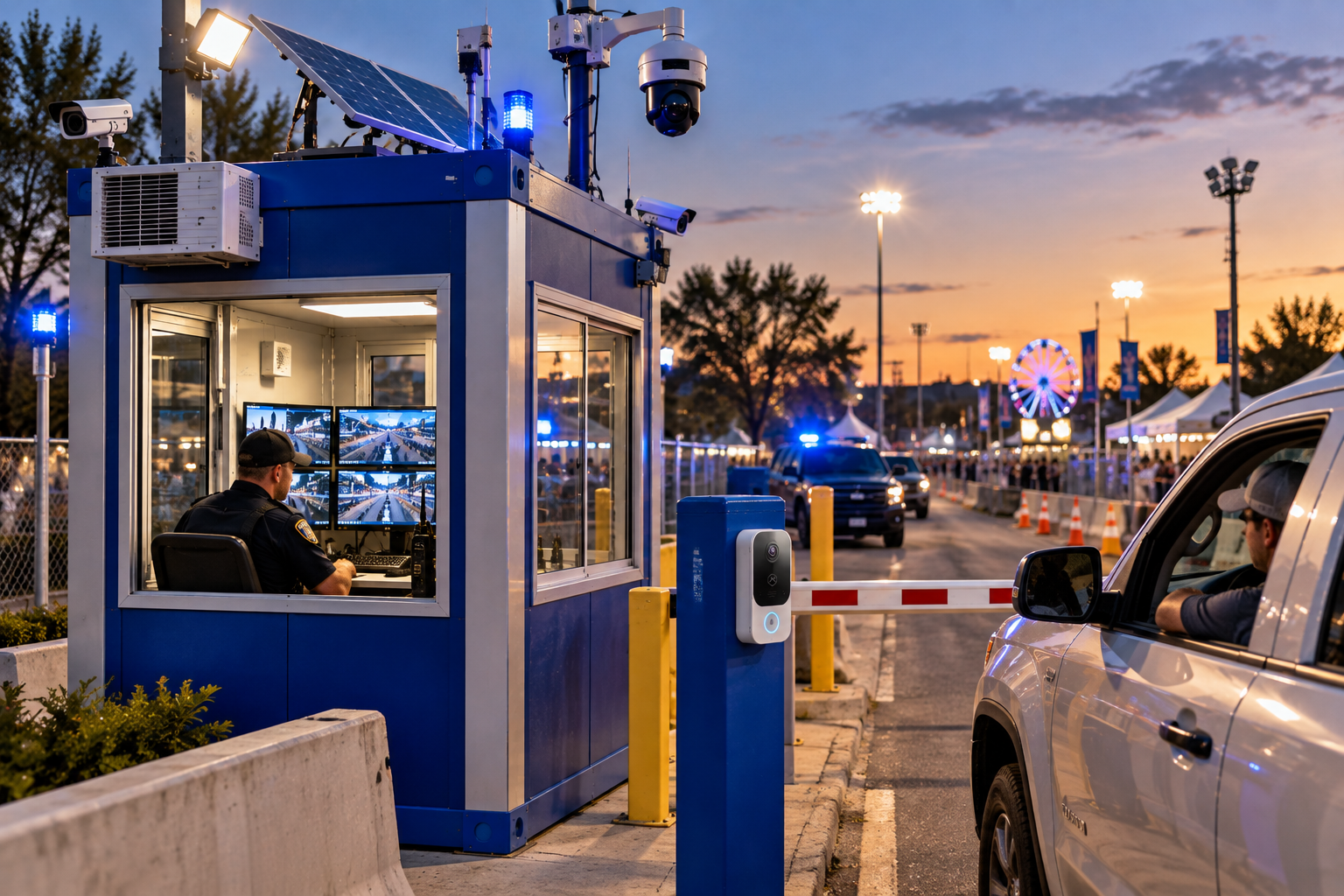
Portable access-control and vehicle-monitoring deployments with available barriers, LPR, video intercom and surveillance.
BlueBox Site Station
Portable staffed public-safety/security stations with video, communications, access control and environmental options.
YOUR AGENCY. YOUR IDENTITY.
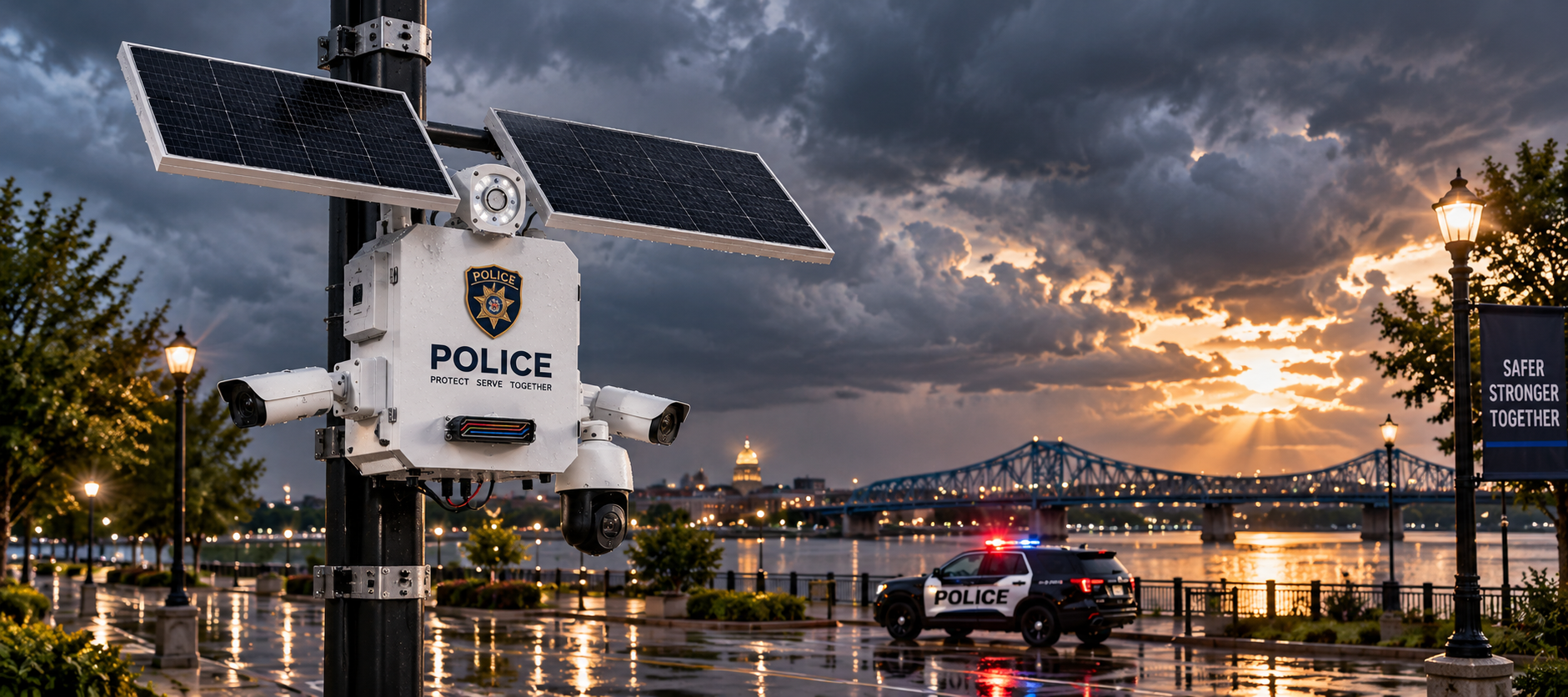
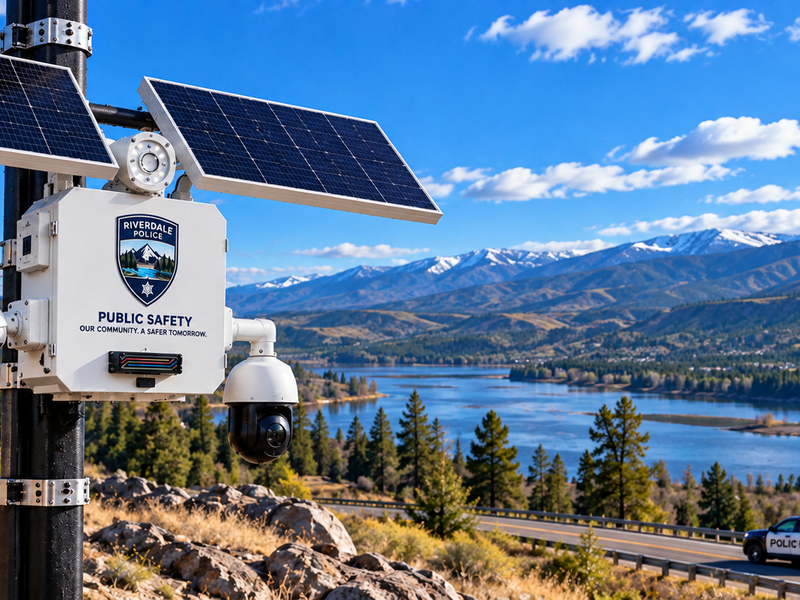
BlueBox systems can be delivered with TechnologyOne branding, customer agency branding, or a coordinated co-branded appearance.
Technology that looks like it belongs to your agency—because it does.
OPEN BY DESIGN
Our platform. Your cameras. Or both.
New BlueBox systems can be configured around our preferred ultra-efficient camera platform for maximum solar performance and extended field operation.
Optimised Low-Power Cameras
Preferred for new solar deployments where efficiency, performance and autonomous runtime matter most.
Specialty ONVIF Cameras
Incorporate compatible PTZ, long-range, specialty and application-specific cameras when the mission requires them.
Existing Camera Fleets
Bring compatible existing cameras together with new BlueBoxes and mobile deployments without unnecessary rip-and-replace.
BlueBox can also support customer-standard platforms including Alarm.com, OpenEye and Milestone when required.
IVISION CLOUD VIDEO
Your screen is the limit. Not your VMS.
Bring BlueBoxes, portable units, surveillance trailers and compatible cameras together in one fast cloud video environment.

UNLIMITED USERS. UNLIMITED STREAMS.
Authorised users can simultaneously stream cameras across the deployment without per-seat licensing or traditional viewer limits.
Unlimited Users
Give authorised personnel access without buying additional viewer seats.
Unlimited Streams
Multiple authorised users can simultaneously view live video from cameras across the system.
Build Your Own Video Wall
Combine live views from different BlueBoxes, portable systems, trailers and locations on one screen.
24/7 Cloud Recording
Continuous video is securely recorded to the cloud on supported BlueBox configurations.
Fast Investigation
Quickly move between live and recorded video without traditional recorder-by-recorder searching.
Web + Mobile Access
Access authorised cameras and deployments wherever operations take you.
"One camera. Unlimited authorized viewers. Same live scene."
SEE IT. FIND IT. ACT ON IT.
Video that does more than record.
AI-assisted analytics and intelligent search help turn massive amounts of video into useful information.
Detect → Deter → Escalate → Respond

AI Smart Search
Search recorded video across connected deployments using intelligent criteria.
Loitering & Intrusion Detection
Identify defined behaviours and activity in protected areas.
Automated Deterrence
Trigger programmable audio and visual warnings when configured conditions are detected.
Live Talk-Down
Authorised personnel can intervene remotely through supported speaker systems.
Escalation Workflows
Build response procedures that progress from detection to deterrence and designated personnel notification.
Long-Range PTZ
Available high-zoom PTZ options provide detailed investigation of distant activity while maintaining situational awareness.
KNOW IT'S WORKING
Monitor the camera. And everything behind it.
Remote surveillance only works when the system is healthy. Supported BlueBox deployments provide centralised visibility into camera status, connectivity, battery condition, solar performance and overall system health.
One BlueBox or an entire fleet — see deployment status from one portal.
Camera Health
12 / 12
Battery Status
94%
Solar Performance
Optimal
Connectivity
All Online
Remote Diagnostics
No Alerts
Fleet Map
4 Sites Active
Last system check: 2 minutes ago
BUILT TO STAY IN THE FIELD
Power engineered around the deployment.
Every deployment is different. BlueBox power systems are configured around the cameras, communications, location, available sunlight and required operating time.
Sized for the mission.
From a single fixed BlueBox to portable units and surveillance trailers, power is engineered around the deployment and its operating requirements.
Solar Powered
Purpose-built solar configurations provide continuous renewable power for locations where utility power isn't practical.
Extended Runtime
Efficient system design and properly sized energy storage help maintain operation through nights and periods of limited sunlight.
Remote Power Monitoring
Supported deployments provide remote visibility into battery condition, charging and solar performance.
Site Power Available
Where utility power is available, BlueBox can use existing power while retaining the same cloud video and remote management capabilities.
CONNECTED WHERE THE MISSION TAKES YOU
The network shouldn't decide where you deploy.
BlueBox can connect through cellular, Starlink, existing customer networks or other supported communications options.
One platform. Multiple ways to connect.
Fixed BlueBoxes, portable systems and surveillance trailers can be configured around the connectivity available at the deployment site.
Cellular
Deploy over cellular networks without waiting for wired infrastructure.
Multi-Carrier Connectivity
Supported configurations can use multiple cellular carriers and automatic failover to help maintain connectivity when one network is unavailable.
Starlink
Satellite connectivity is available for BlueBox systems when cellular service is unavailable, unreliable or impractical.
Existing Networks
BlueBox can also connect through available customer network infrastructure when appropriate.
PUT VIDEO WHERE YOU NEED IT
Built for the location. Not the other way around.
BlueBox gives agencies multiple ways to deploy surveillance without redesigning the site around the camera system.
Permanent when you want it. Portable when you need it.
BlueBox can grow from a single location into a distributed network of fixed, portable and mobile deployments managed through the same platform.
Existing Infrastructure
Mount BlueBox on suitable existing poles, structures and other approved infrastructure where available.
Dedicated Poles & Structures
Purpose-built poles and mounting solutions can be provided for permanent or semi-permanent deployments.
Buildings & Facilities
Deploy cameras on suitable building exteriors, rooftops and municipal or public-safety facilities.
Portable & Mobile
When permanent mounting isn't the answer, deploy a BlueBox Portable or surveillance trailer and reposition it as needs change.


SEE IT. HEAR IT. DETER IT.
Intelligent deterrence built into the response.
BlueBox can do more than capture video. Supported configurations combine AI-driven event detection with programmable strobes, audible warnings and live talk-down capabilities.
Visual Deterrence
Programmable warning strobes provide an immediate visual indication that activity has been detected.
Audible Warning + Talk-Down
Use prerecorded or live audio to communicate directly with people at the site and provide immediate warnings when needed.
Event-Driven Response
Supported configurations can use defined analytics and events to initiate deterrence workflows.
Need scene lighting? External illumination can also be integrated into supported BlueBox configurations.
BUILT FOR PUBLIC SAFETY
WHERE BLUEBOX WORKS
From persistent coverage in problem areas to temporary surveillance during an investigation, BlueBox gives agencies the flexibility to put intelligent video where it can make a difference.

Crime & Problem Areas
Add visible surveillance and deterrence to recurring problem locations, high-activity areas and places where permanent infrastructure may be limited.

Downtown & Public Spaces
Extend situational awareness across downtown districts, pedestrian areas, municipal properties and other heavily used public spaces.

Traffic & Intersections
Monitor intersections, corridors, vehicle activity and other locations where better visual information can support investigations and response.

Special Events
Rapidly add coverage for festivals, concerts, sporting events, parades and other temporary gatherings.

Parks & Trails
Bring video coverage to parks, trails, riverfronts and remote public spaces where traditional network infrastructure may not be available.

Investigations & Temporary Surveillance
Deploy fixed, portable or mobile surveillance where an investigation or emerging situation requires additional coverage.
Beyond the Camera
Extend BlueBox Into the Field.

Checkpoint & Access
LPR • Barriers • Video Intercom • Access Control
Site Stations
Staffed Operations • Communications • HVAC • Field Infrastructure
WHY BLUEBOX
More than a camera. A complete deployment platform.
BlueBox brings the pieces of remote public-safety surveillance together—video, power, connectivity, intelligence and remote system management—so agencies can deploy where coverage is needed without building traditional camera infrastructure first.
Deploy Almost Anywhere
Fixed, portable and mobile configurations let agencies put video where the mission requires it.
One Video Platform
Bring cameras and deployments together for live viewing, recorded video and investigation.
AI-Assisted Investigation
Search recorded video and find relevant people, vehicles and events faster.
Active Deterrence
Supported configurations add strobes, audible warnings and live talk-down capabilities.
Remote System Health
Monitor cameras, connectivity, power and supported deployment systems without unnecessary site visits.
Open Architecture
Use TechnologyOne's complete platform, compatible cameras, or integrate BlueBox into an existing supported video environment.
FROM SITE TO SCREEN
Deploy. Connect. See. Respond.
DEPLOY
Choose the right fixed, portable, trailer, checkpoint or site-station configuration for the mission.
CONNECT
Bring the deployment online through cellular, Starlink, an existing network or another supported connection.
SEE & INVESTIGATE
View live and recorded video, build camera walls and use AI-assisted tools to investigate events.
RESPOND & MANAGE
Use deterrence capabilities when appropriate and remotely monitor the health of deployed systems.
From one camera to a citywide fleet, BlueBox keeps the deployment connected to the people who need it.
SMARTER SITE PLANNING
Plan the coverage before we deploy the cameras.
TechnologyOne uses BlueMap during system design to help evaluate camera locations, viewing angles and coverage before installation. It gives us a better way to plan BlueBox deployments and identify potential coverage gaps before equipment goes into the field.
Camera Placement
Evaluate potential mounting locations before installation.
Coverage Planning
Visualize camera views and overlapping coverage across the site.
System Design
Use the site plan to help determine the right camera locations and deployment configuration.
BlueMap is part of our planning process—not another system your agency has to manage.

Frequently Asked Questions
Not sure which BlueBox fits the mission?
Tell us where you need coverage and what you're trying to accomplish. We'll help design the deployment.
BUILD YOUR BLUEBOXBuild Your BlueBox
Tell us about the mission. We'll help configure the deployment.
Choose the deployment, coverage and capabilities you need. TechnologyOne will review your selections and help design the appropriate BlueBox system.
Step 1 of 6 — Deployment
How Do You Need to Deploy It?
Start with where and how BlueBox needs to operate. We'll configure the cameras, power, connectivity and technology around the mission.
Light Where Public Safety Needs It.
BlueBox™ Public Safety Lighting
TechnologyOne can pair a Solar Light Trailer with BlueBox surveillance and public-safety infrastructure. Professional elevated LED lighting powered by solar generation and onboard battery storage — no diesel generator required for normal nighttime operation.
See the Area. Light the Area. Move When the Mission Moves.


Meet Patrol Radio.
Good music. Good laughs. And a little something for the people behind the badge.
We spend a lot of time building technology for law enforcement. Patrol Radio is something we built just for the people using it.
It's a constantly growing mix of great music, funny clips, movie moments, interesting stories, cop culture, and the occasional look at the technology behind BlueBox.
Put it on during a shift. Let it run in the background at the station. Throw it on for the drive home.
There's no schedule and no sign-up. Just hit play.
And keep coming back. We're constantly adding new songs, new stories and new stuff we think you'll enjoy — with the newest additions appearing first.
Powered by YouTube. Better with Premium. Best with the volume up.
Patrol Radio is a YouTube playlist and is best enjoyed with YouTube Premium — uninterrupted listening, background play, and the ability to keep the music going with your screen off.
Patrol Radio — brought to you by BlueBox.
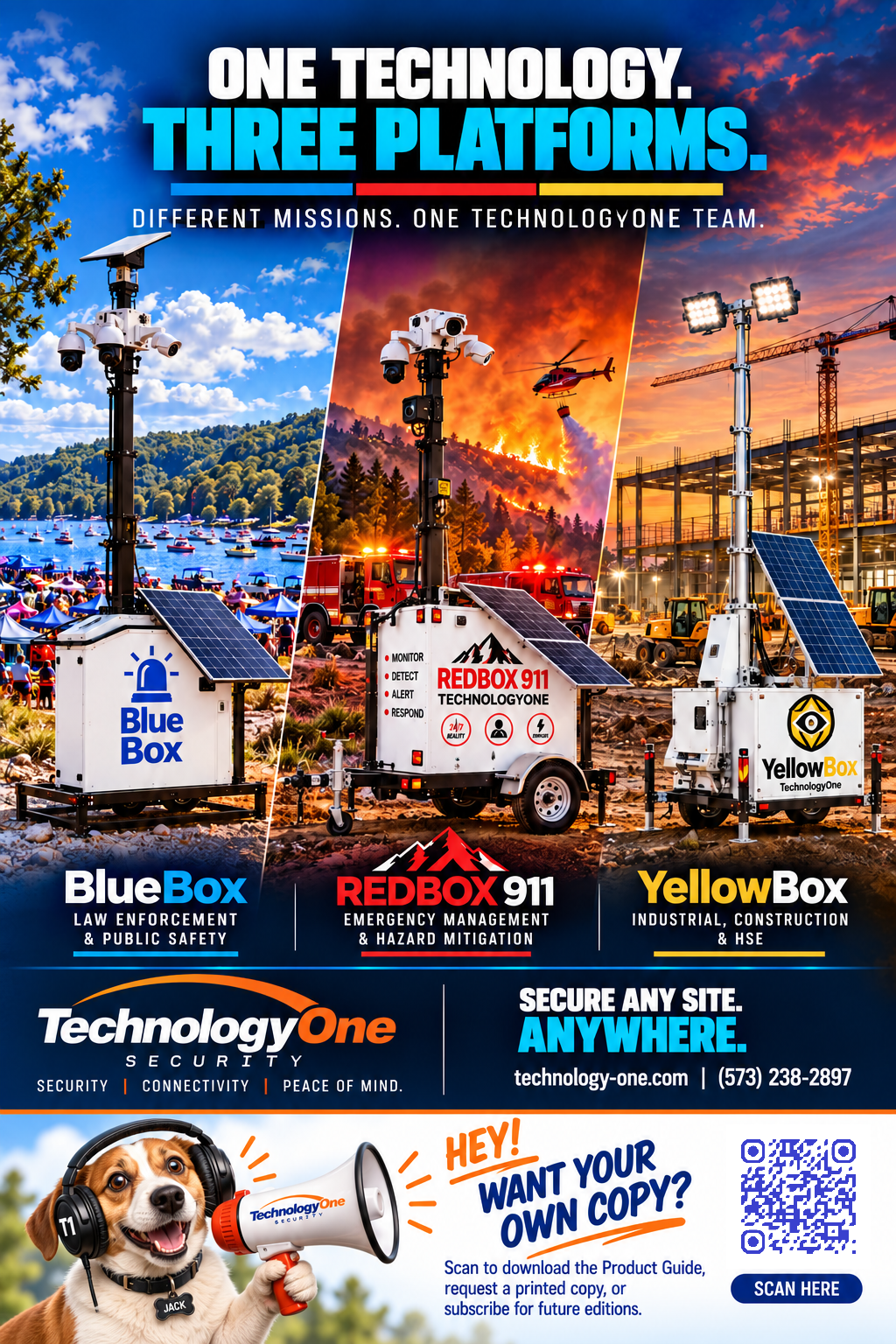
HEY! WANT YOUROWN COPY?
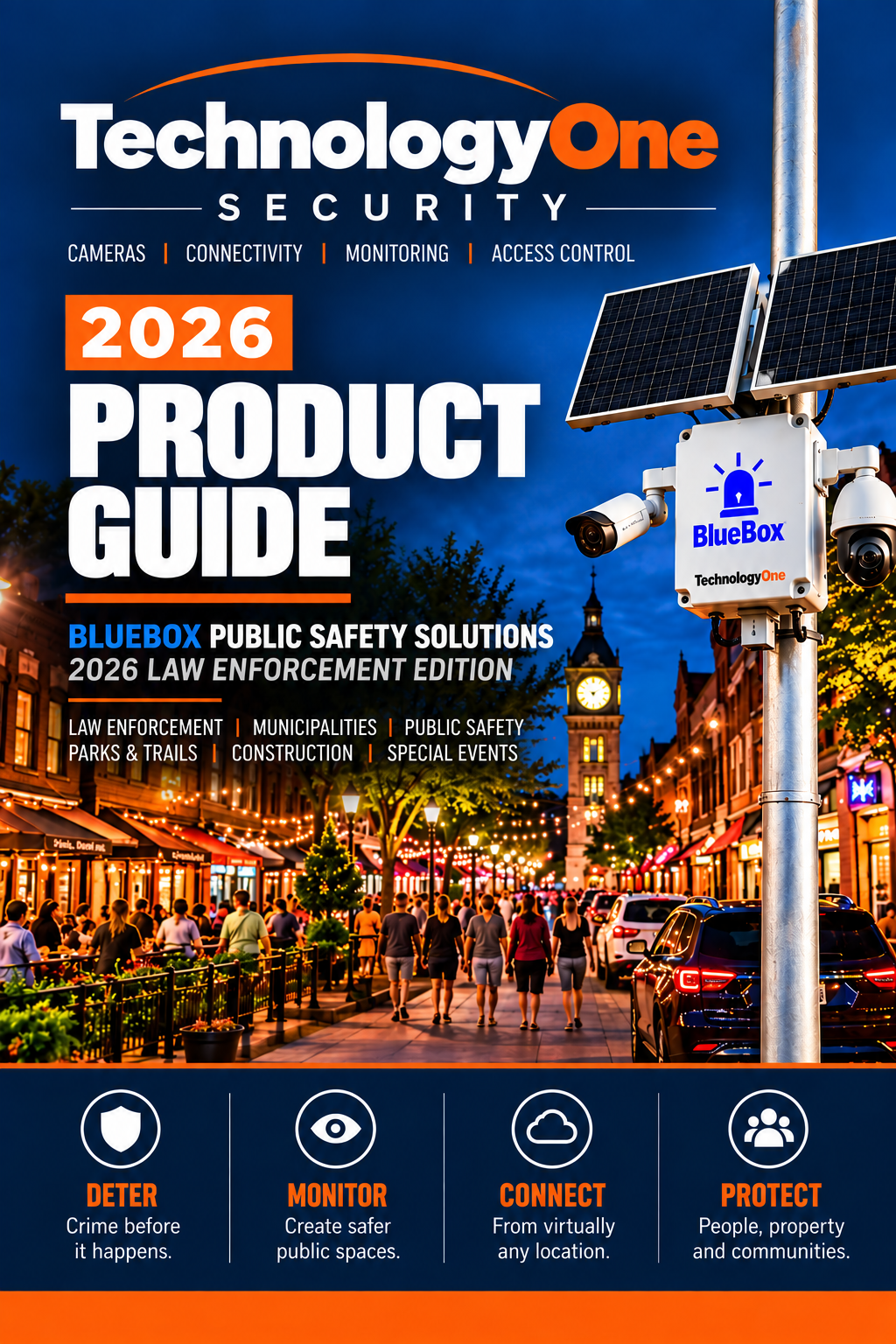
Get Your 2026 BlueBox Product Guide
Discover the complete BlueBox lineup — portable surveillance systems, solar-powered solutions, PTZ cameras, and specialised configurations for law enforcement and public safety. Explore the technology, features, and deployment options that make BlueBox a powerful tool for protecting your community.
Request Your Product GuideDownload the digital guide, request a printed copy, or subscribe for future editions.

Let's Design Your BlueBox Deployment.
Every BlueBox is configured around the mission. Tell us about your location, power, connectivity, and video platform requirements and we'll design the right system for your agency.
Request a Custom BlueBox Quote
Fill out the form below and a member of our team will follow up directly.